


ChastityStores
LOCKINK Remote AI Chastity Key Box
Original price was: $68.99.$48.99Current price is: $48.99.
DESCRIPTION
The Chastity Key Box adds remote control to keyholding. It lets the keyholder manage access and monitor movement without sharing the same location.
Why use the smart AI Chastity Lock Box?
- Whether for solo play or partner interaction, with the remote key box, you’ll never lose the key again, nor can it be cheated by unlocking prematurely.
- No longer restricted to the same city, as long as there is an internet connection, even different countries won’t affect remote unlocking.
- You can find dom/sub through the internet, and hand over control remotely, remote training is also possible.
- Release countdowns and unlocking logs add a record of the keyholding arrangement.
Distance is no longer an issue. With the mobile app remote control, hand over the control, enjoy creative play and experience diverse control methods. Record every unlocking moment.
About the size of a USB flash drive, the Chastity Lock Box is compact enough to carry or store discreetly. It has Type-C charging and a built-in lithium battery, with stated capacity for 90 days of standby and 500 unlocks from one charge.
PRODUCT INFORMATION
Material:?ABS + Metal
Color:?Black
Size:?Please refer to the picture parameters
Weight:??32g
Package included:
1 PCS Key Vault
1 PCS – Charging Cable
1 PCS – User manual?
Chastity Key Box Operation Instructions:
Scan the QR code
below to download the LOCKINK APP
(available for both IOS and Android)
Step 1:
Scan the QR code to download LOCKINK APP.
Open the APP, follow the prompts to complete the registration, press and hold the power button for 2 seconds to turn on the device, the red light will flash after turning on, and it will enter the standby mode;?(Figure 1)
then open the APP, click “Not Connected” in the?upper right corner to enter the device search?interface; (Figure 2)
and click the searched device until the prompt at the?bottom is connected successfully.(Figure 3)
Step 2:
The screen jumps to the main page.?
The connection is successful in the upper right corner of the page, and the connected key box is displayed in the middle of the screen. (Figure 4)
Click the key box to enter the role binding interface;?(Figure 5)
Enter the role selection page, select your role as?”Wearer”, and after the role is bound, click the “+’?sign in the red box in (Figure 6) to add your owner.

Step 3:
If the Master is not linked, the wearer can click the?unlock button in the red box in Figure 7 to unlock?the device by himself.?
If you choose “Master”,?enter the following page,?you can click the “+” sign in the red box to add the?Wearer.
After adding, you can control the wearer ‘s lock?permission through the portrait button in the blue?box. (Figure 8)
Step 4:
How to add random/manual time lock and?position lock; in the role binding interface, click?random/manual, adjust the digital time, if you need?to execute?immediately, click “Immediate effect?after setting completed” and click the start button?to start the time lock, and the device cannot be?unlocked during the time. (Figure 10)
Click the position lock to turn on the position lock,?enter the diameter range and confirm. (The owner?has no authority to operate the position lock) (Figure 11 & 12)
Step 5:
How to add friends:
1.Click “Message” in the lower right corner (Figure13)
2.then click the “+” sign in the upper right corner of?the interface to enter the friend adding interface.?(Figure 14)
3. Search for a ID to add him/her as a friend.?(Figure 15)
Tips:
If you need to unbind the device or view the?unlocking record, you can click the four small square?buttons in the upper right corner of the picture?below.(Figure 16 & 17)
For more tutorials, please scan the QR code above.
Related products
-
Sale!

Remote Control Cock Vibrator
Original price was: $158.99.$128.99Current price is: $128.99. Select options This product has multiple variants. The options may be chosen on the product page -
Sale!
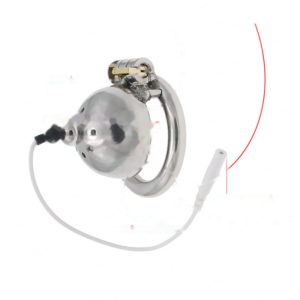
Cock Shock Zapper Kit (Cock & Anus)
Original price was: $98.99.$68.99Current price is: $68.99. Select options This product has multiple variants. The options may be chosen on the product page -
Sale!

Future Warrior Armor App Controlled Cock Cage (Electric Shock)
Original price was: $148.99.$98.99Current price is: $98.99. Add to cart -
Sale!

Cellmate V3 Smart Chastity Cage
Original price was: $318.99.$258.99Current price is: $258.99. Select options This product has multiple variants. The options may be chosen on the product page